
Dual-pane workflow
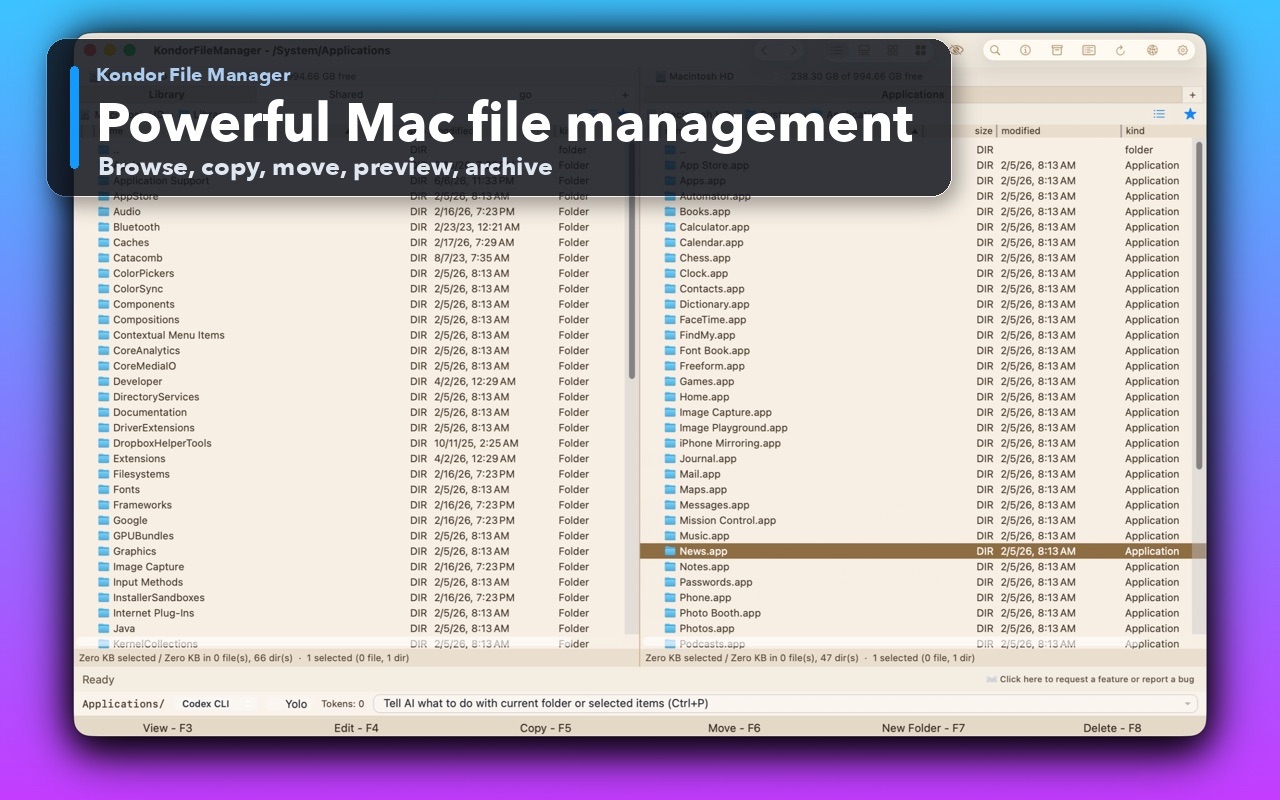
Dual-pane file management for macOS.
A dual-pane file manager keeps two locations visible so copy, move, compare, sync, archive, and remote-transfer work stays direct. Kondor brings that commander-style workflow into a native macOS utility.
Product screenshots
What this workflow looks like in Kondor.
Inspect the real interface before downloading, including the panes, dialogs, and controls used for this job.
Who it helps
Use Kondor when file work needs more control.
Former Total Commander, Norton Commander, Directory Opus, or Midnight Commander users on Mac.
Developers and operators who move files between project folders, archives, remotes, and devices.
Mac users who want predictable keyboard access for daily file operations.
What slows people down
Where the default workflow gets slow.
Drag-and-drop between separate windows is easy to lose track of during repetitive file work.
A single-pane file browser hides source and destination context.
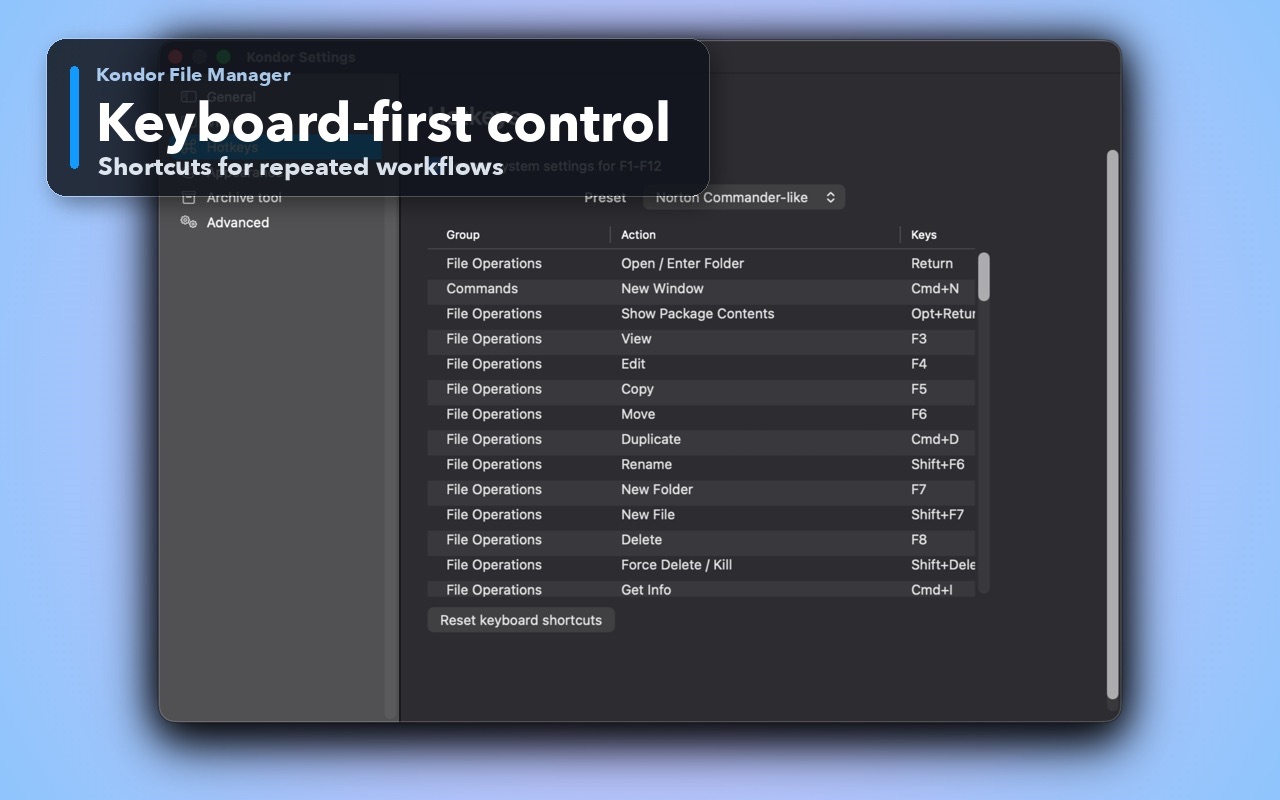
Keyboard-first users need commands to be visible in menus and reliable in dialogs.
How Kondor helps
Purpose-built surfaces for this workflow.
Match the tool to the repeated job, then keep the rest of your Mac workflow unchanged.
Function-key style workflows for copy, move, rename, delete, folder creation, view, edit, and navigation.
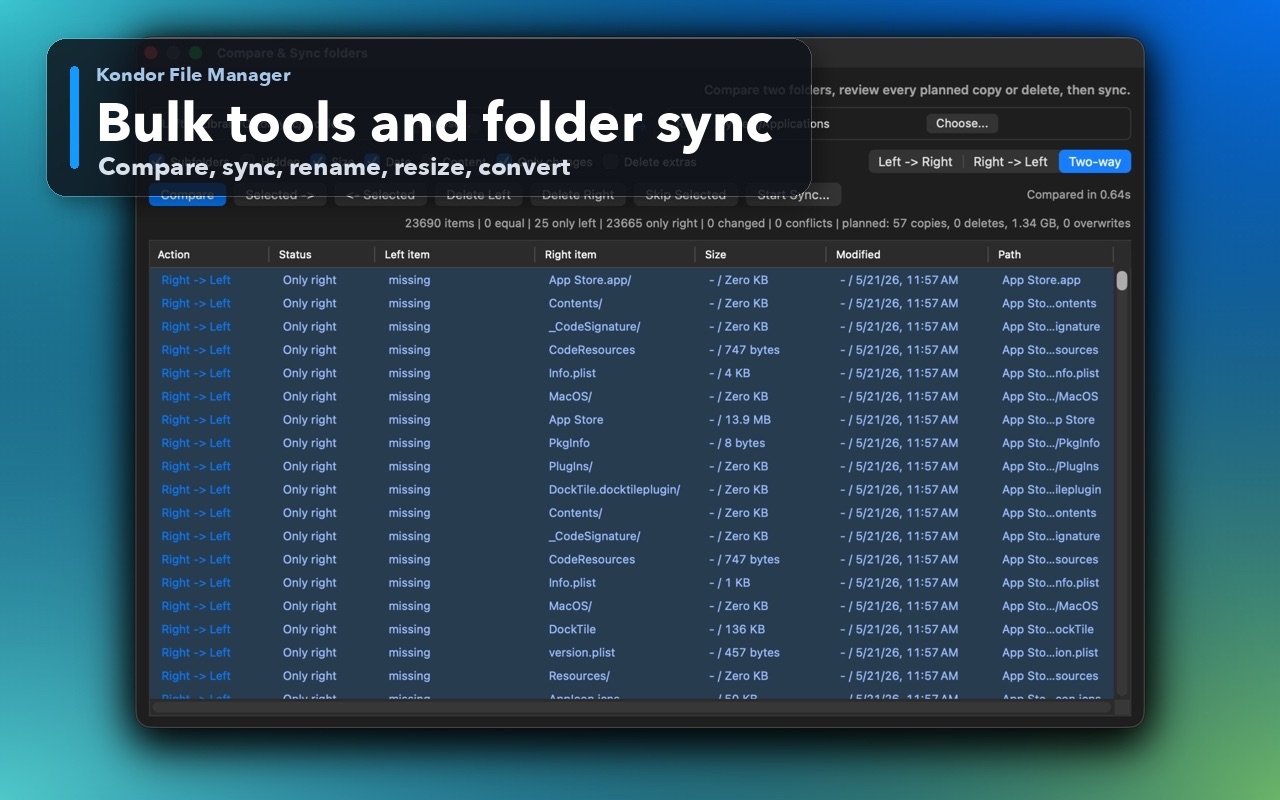
Pro workflows extend the two-pane model to remote resources, folder sync, archives, media, and devices where available.
Workflow examples
Common ways people use this workflow.
Source to destination
Put the source on one side, destination on the other, then copy, move, compare, or sync without switching context.
Local to remote
Use Pro remote resources such as FTP, SFTP, WebDAV, S3, Dropbox, and Google Drive where available.
Archive to folder
Browse or extract archive contents while staying in the same side-by-side file workspace.
Trust
Why the download is lower risk.
Kondor is explicitly designed as a compact commander-style macOS file manager.
Keyboard access is treated as a core product requirement, not an optional afterthought.
The site and app explain Lite vs Pro boundaries clearly before purchase.
Related pages
Next useful comparison or guide.
FAQ
Quick answers before you choose.
What does dual-pane file manager mean?
A dual-pane file manager shows two file locations at once, usually source and destination. This makes copy, move, compare, sync, archive, and transfer workflows easier to control.
Is Kondor like Total Commander for Mac?
Kondor uses commander-style ideas such as dual panes and keyboard-first file actions, but it is a native macOS app with its own interface, privacy model, and Pro feature set.
Does dual-pane matter for simple browsing?
For simple browsing, Finder is often enough. Dual-pane matters when source and destination context, repeated operations, or keyboard speed are part of the job.