Is Total Commander available for Mac?
Total Commander's official site does not offer a native macOS desktop version. It suggests running the Windows app through virtualization or trying a native Mac alternative.
 Kondor
Total Commander is a long-running Windows file manager. Its official site suggests virtualization or a native alternative for Apple computers. Kondor gives Mac switchers a native two-pane workspace with familiar keyboard-first file actions and Mac-specific distribution, privacy, and workflow choices.
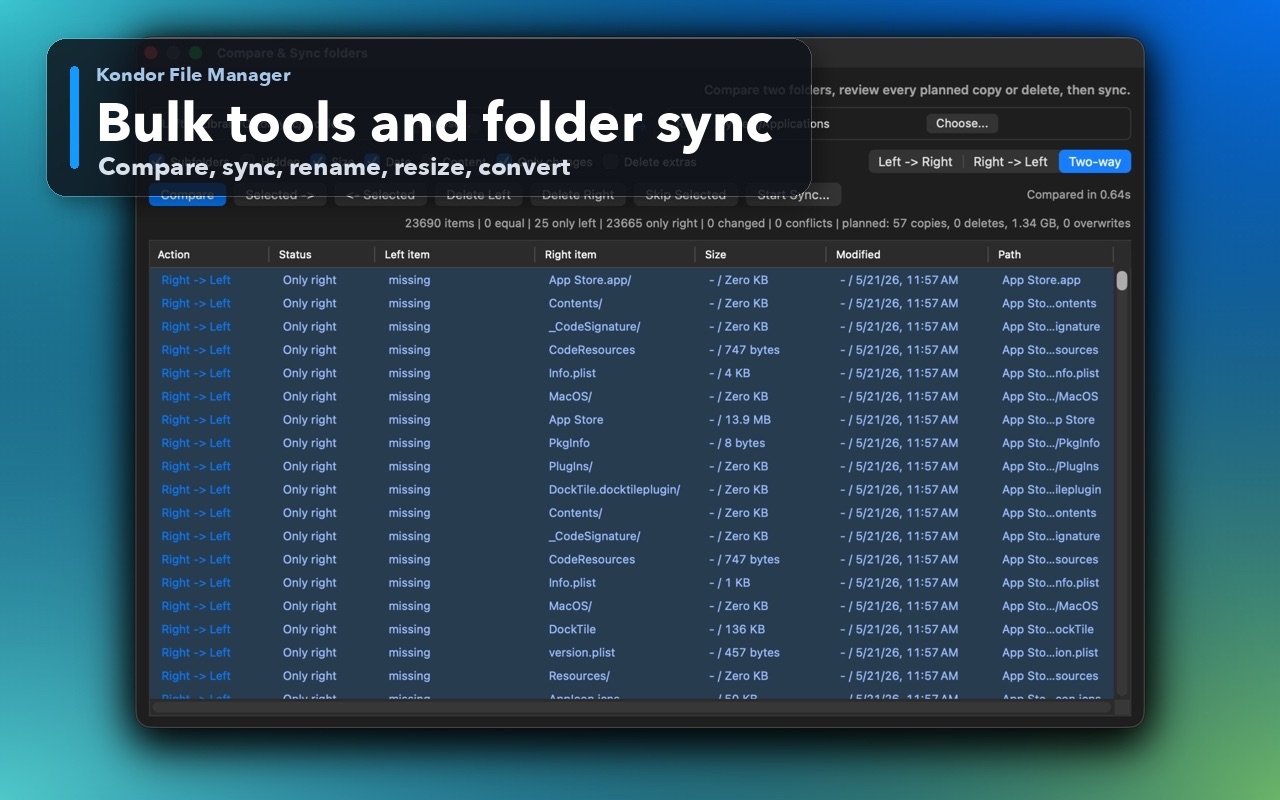
These screenshots show the real Kondor app surfaces that matter when comparing Mac file managers.
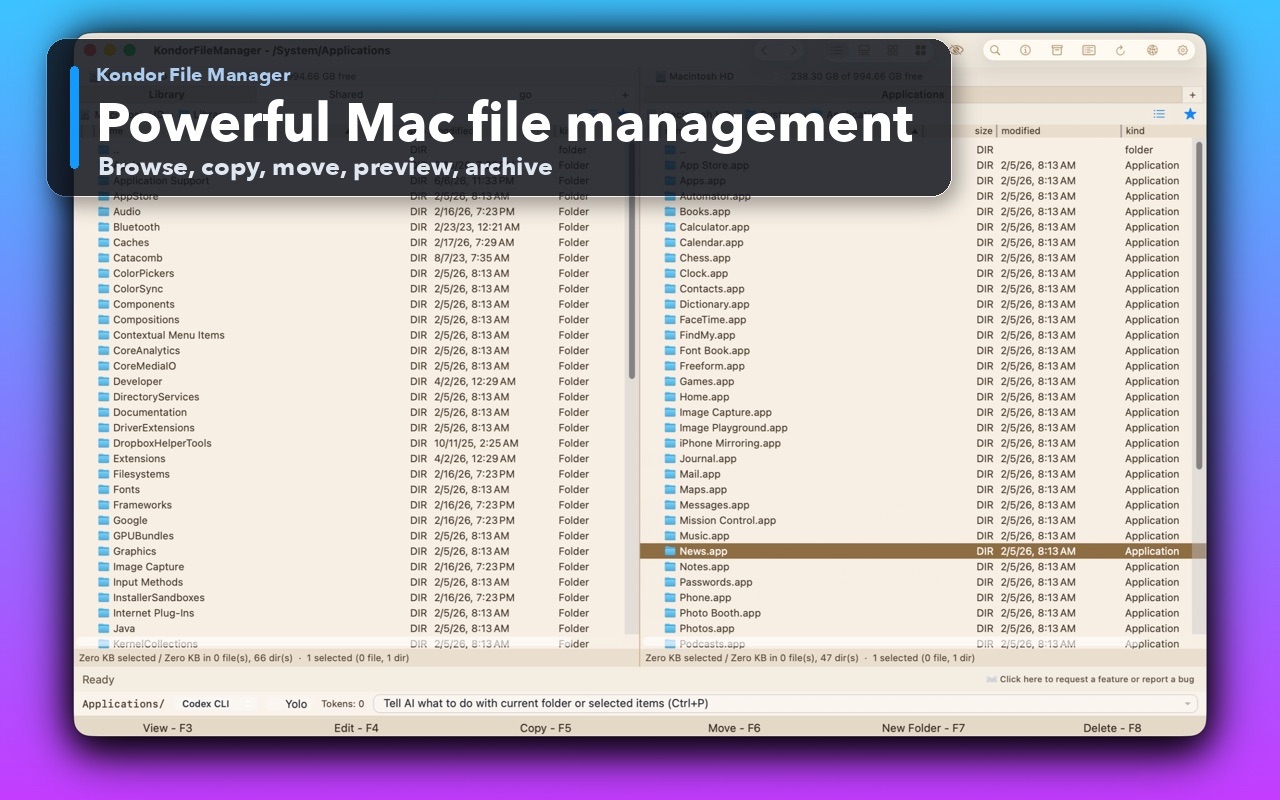
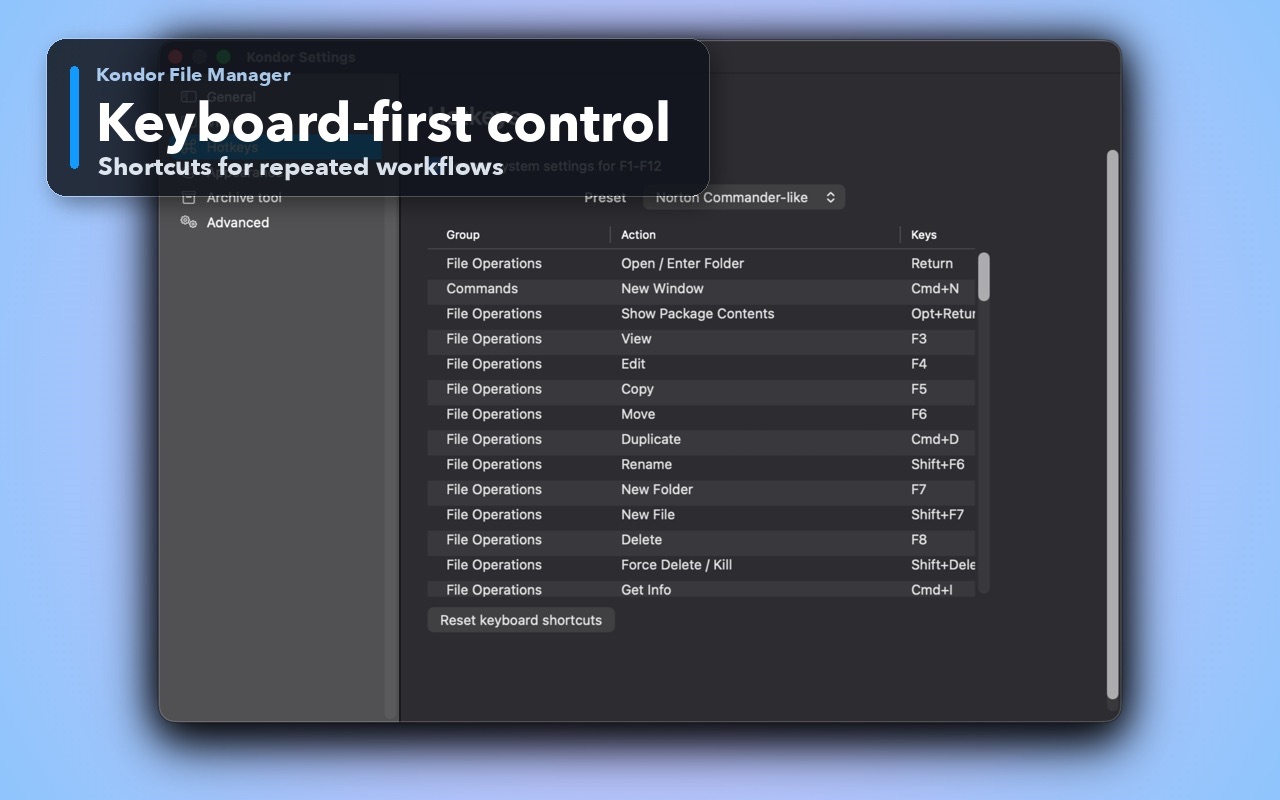
You moved from Windows to macOS and want two panes, visible source and destination folders, and keyboard-first file actions without running a virtual machine.
You want a Mac-specific app with a signed and notarized DMG, local-first privacy, and a free local mode.
You want folder sync, archives, remote/cloud resources, media conversion, and device workflows where available in one Mac workspace.
You still do most file work on Windows and already depend on Total Commander's exact plugins or configuration.
You are comfortable running the Windows app through virtualization or compatibility software on your Mac.
You need a Total Commander capability that Kondor does not currently provide, such as its mature Windows plugin ecosystem.
This comparison is intentionally practical: it separates daily Finder-style browsing, transfer-heavy work, pro file workflows, pricing, and trust concerns.
Native macOS file manager distributed for Mac.
Windows desktop app; the official site suggests an emulator or native alternative for Mac.
Two panes, tabs, compact file tables, and commander-style keyboard actions shaped for macOS.
Established Windows dual-pane workflow with extensive configuration and plugins.
Pro combines folder sync, advanced archives, remote/cloud resources, media tools, and devices where available.
Known for archives, FTP, file comparison, synchronization, and a mature plugin ecosystem on Windows.
Lite free; Web Pro $19/year.
Shareware for Windows; check Ghisler's current order terms for licensing.
Mac users who want a native, compact commander-style workspace.
Windows users or Mac users committed to an existing Total Commander setup through virtualization.
Kondor Lite is free for daily local file-management basics.
Kondor Web Pro is $19/year for advanced workflows.
The Direct Edition DMG is signed, notarized, and published from kfm.tepesoft.com.
Total Commander's official site does not offer a native macOS desktop version. It suggests running the Windows app through virtualization or trying a native Mac alternative.
Kondor shares the practical two-pane and keyboard-first ideas that Total Commander users recognize, but it is a separate native macOS app with its own interface, feature boundaries, pricing, and privacy model.
Yes. Kondor Lite is free for daily local file-management basics. Pro is optional when you need advanced archives, folder sync, remote/cloud resources, media tools, or device workflows where available.
Competitor capabilities change. These official pages support the platform and feature distinctions above.